Run a test cycle from an item view
Plan a test cycle, execute test cases, and record pass/fail results on your boards.
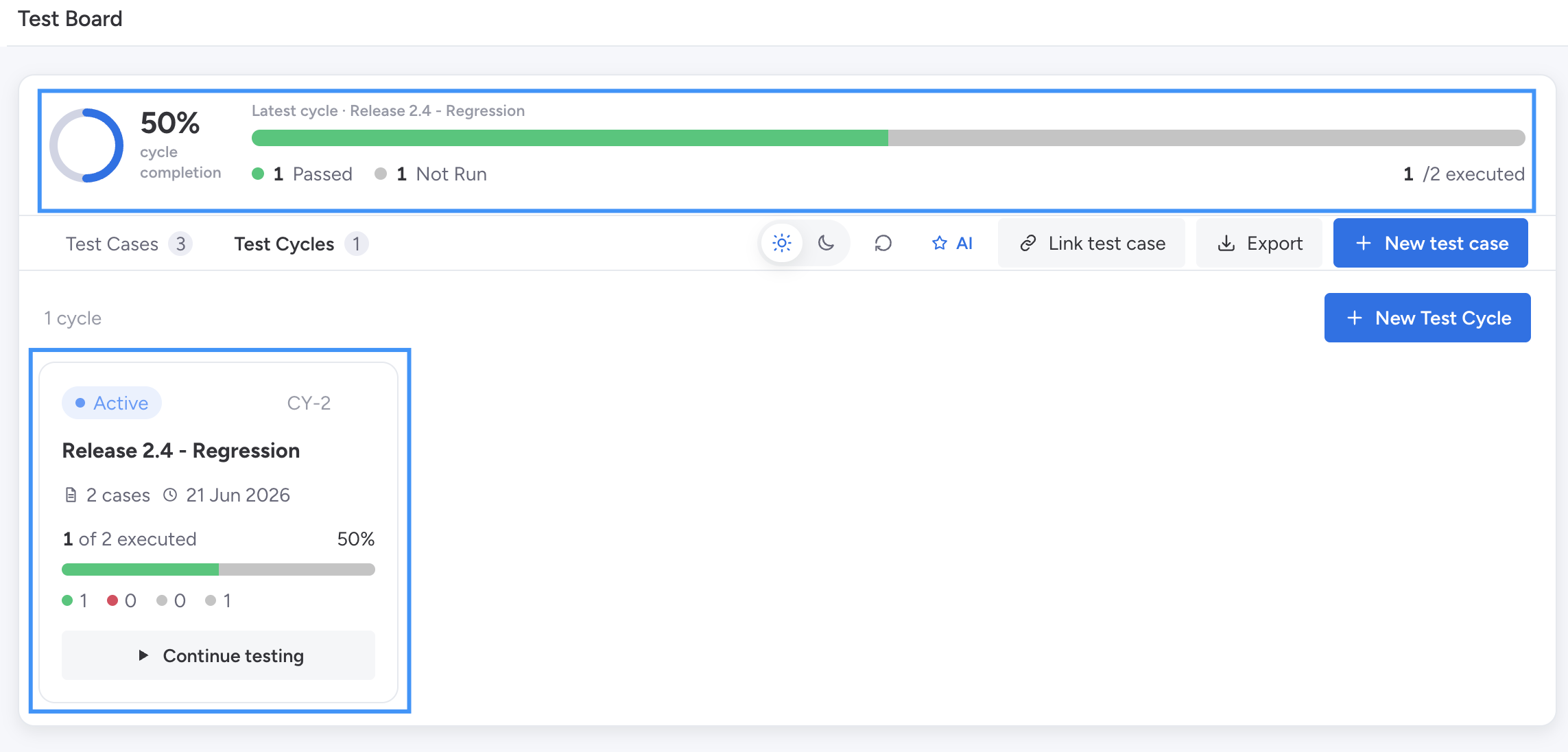
A Test Cycle is a planned run of test cases against a specific item or a test set.
Test Cycles let you track execution progress and report on quality over time.
Create a Test Cycle from an Item View
-
Go to Test Cases View
-
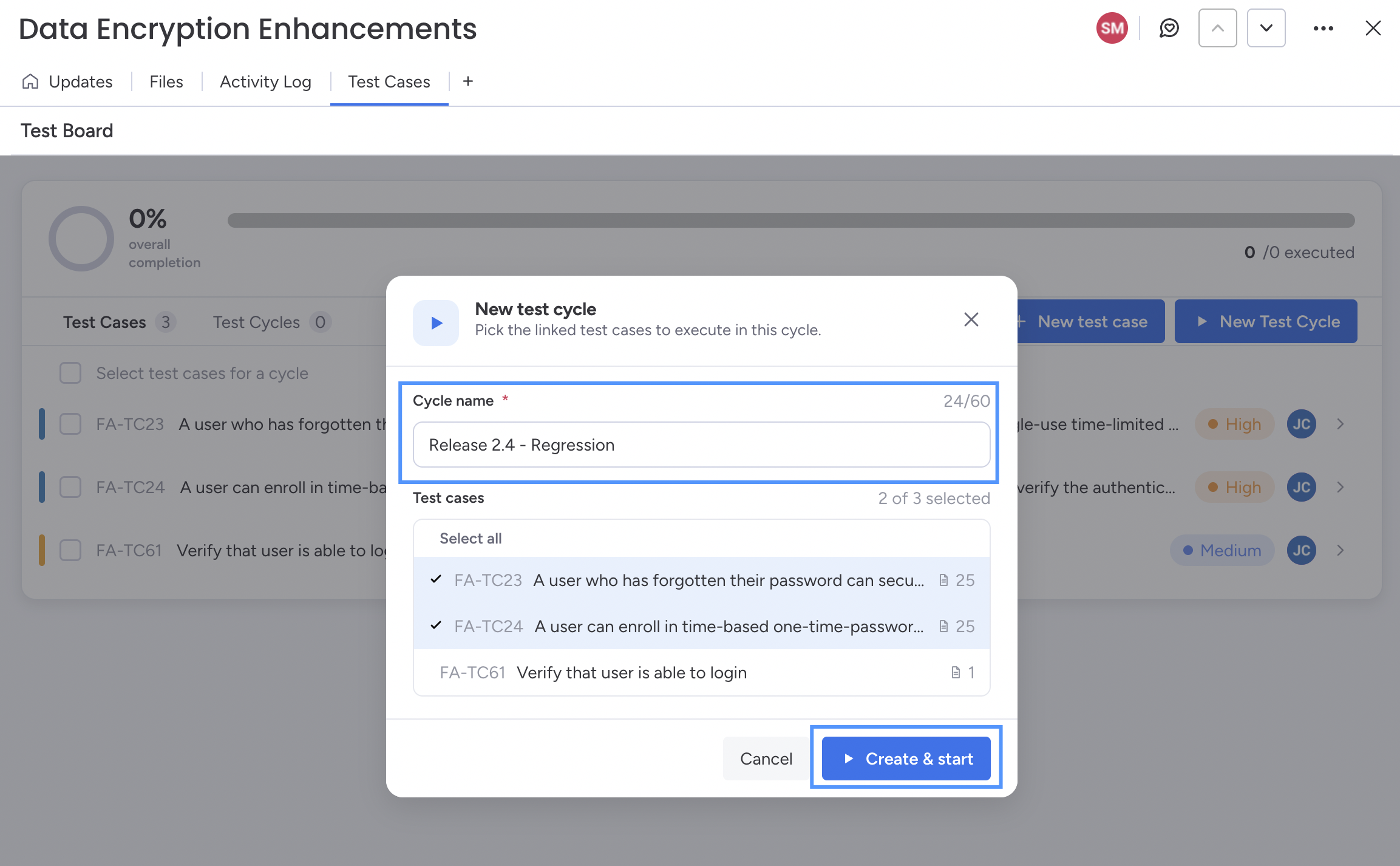
Click on New Test Cycle button
-
Add New Test Cycle name - for example, “Release 2.4 - Regression.”\
-
Select all or required Cases
-
Click on Create & Start button
-
The Test Cycle Runner view will be opened.
Execute tests
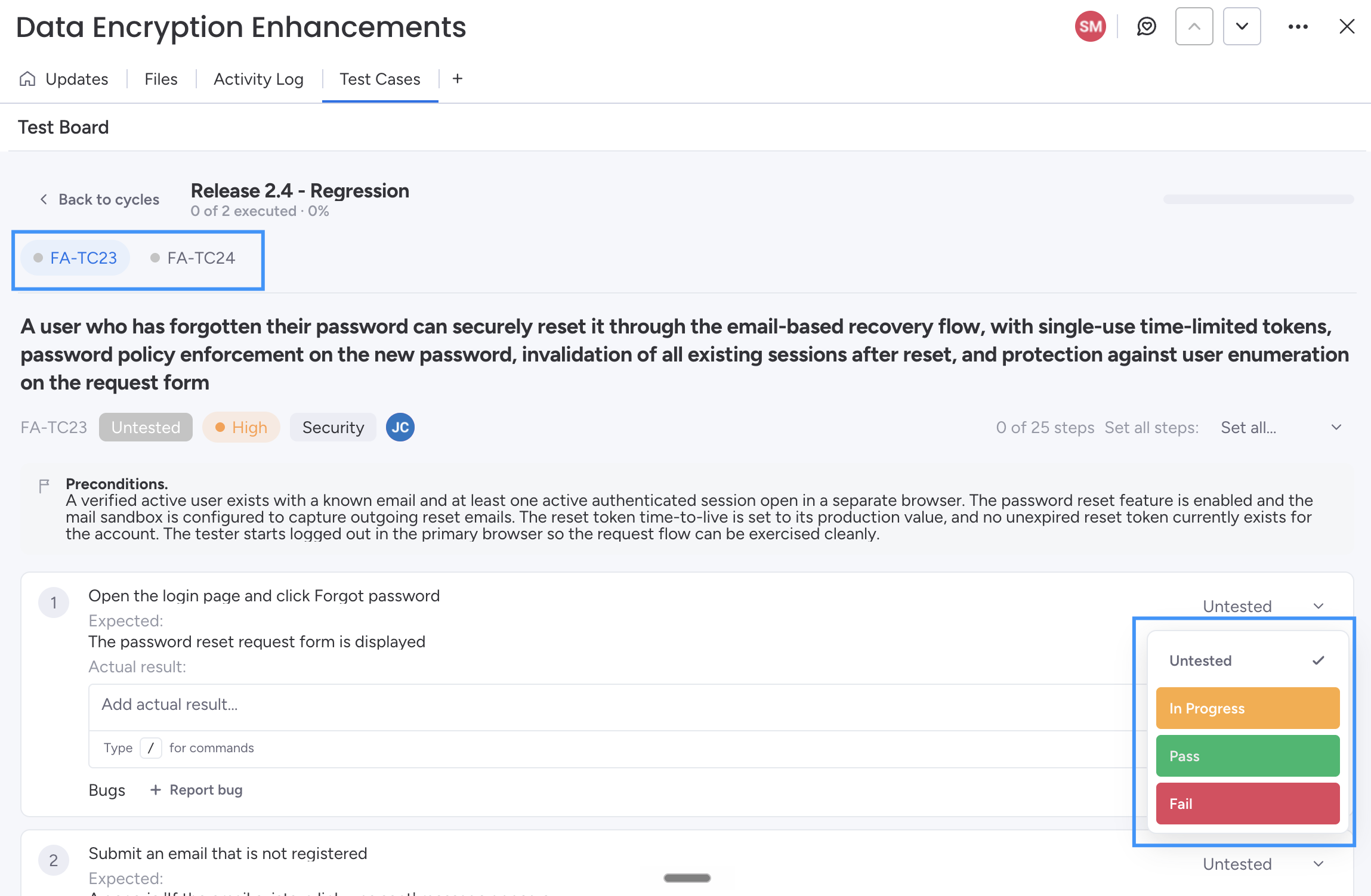
Open a case in the runner. For each step, mark the result:
- Pass - behaviour matched the expected result.
- Fail - behaviour did not match; capture details.
- Blocked - couldn’t execute due to an external issue.
When a step fails, attach a screenshot or create a linked bug item so the defect is tracked on your board.
Track progress
The cycle dashboard shows pass/fail/blocked counts and overall completion. Use it in stand-ups and release readiness reviews.