
Generating Test Cases with AI
Generating Test Cases with AI in monday.com
Generating Test Cases with AI
TestBoard App can draft test cases for you using AI. Point it at a monday.com item (a feature, user story, or requirement) and it suggests a set of executable test cases, each with a headline, precondition, ordered steps, priority, and case type, grounded in what that item actually describes.
Nothing is saved until you review and confirm, so it’s always safe to try.!
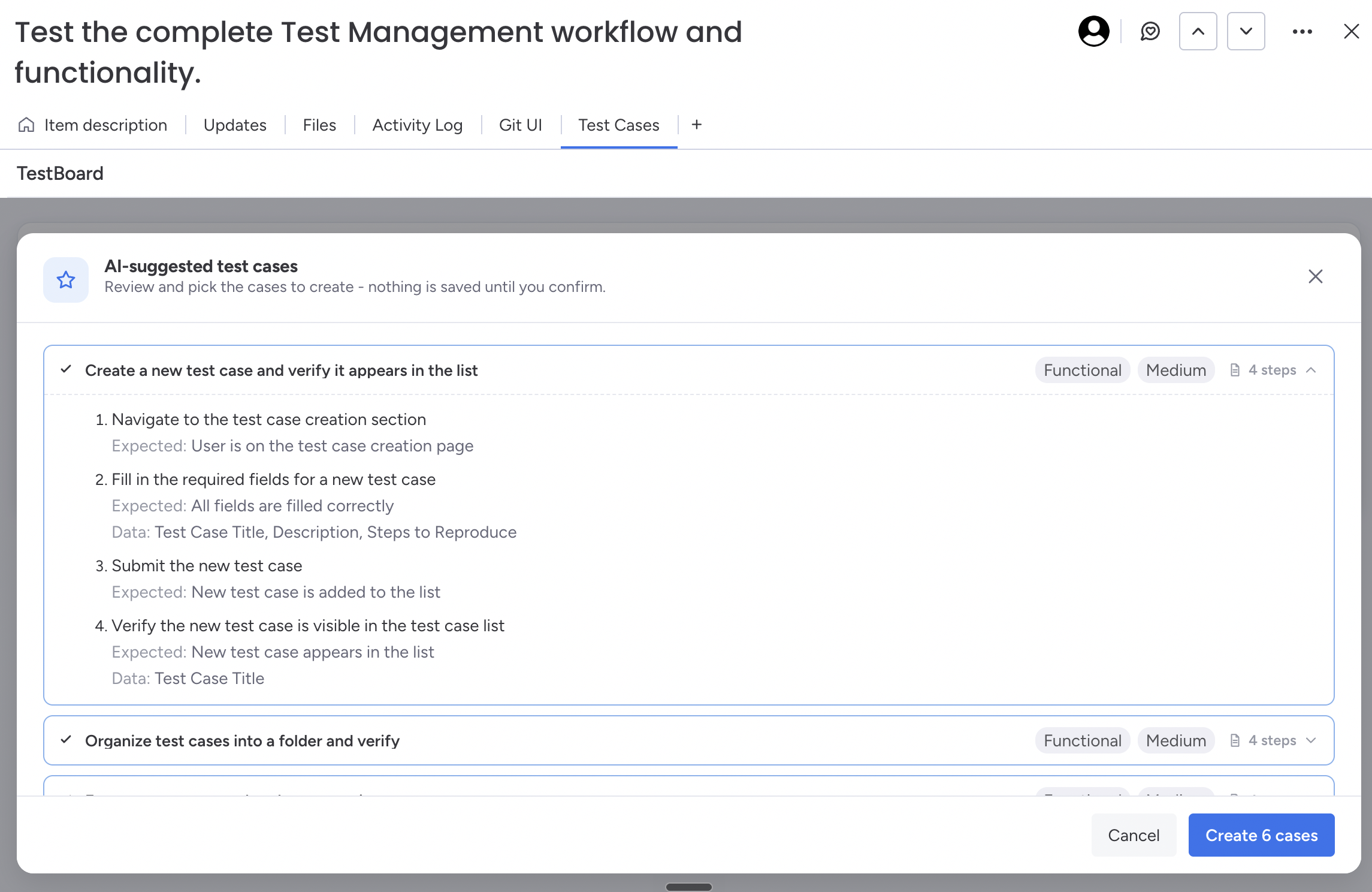
Where to generate from
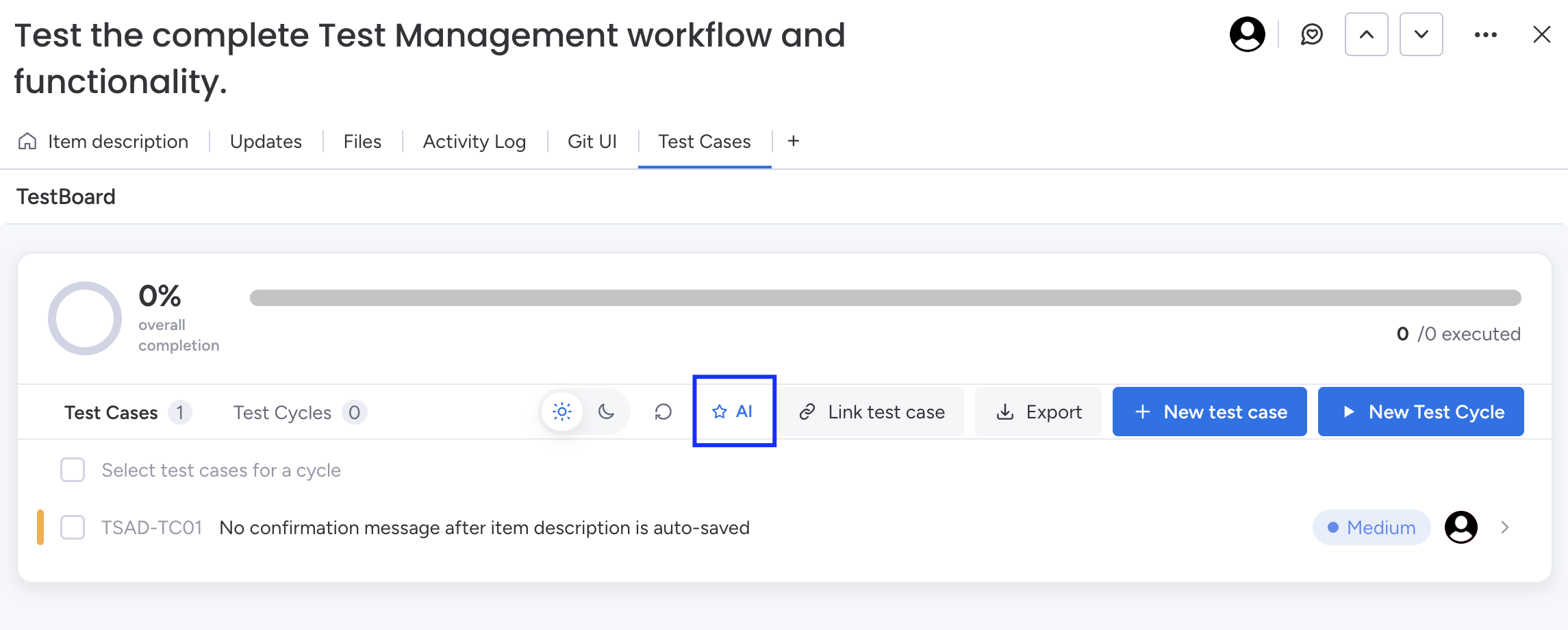
From an item (Item view).
Open an item and click on AI button.
This is the best option when you want cases for one specific item, because it automatically reads that item’s full context (see below).
How the AI decides what to generate
The generator bases its suggestions strictly on the item’s context, it does not invent features. It looks at:
- Item name, the headline of what’s being tested.
- Item description, the item’s rich‑text body. This is the most important input. If you’ve written acceptance criteria or requirements in the description, the AI turns them into concrete cases and steps.
- Existing test cases, cases already on the board are sent so the AI avoids suggesting duplicates.
💡 Best results come from a good description. Spend a minute writing the acceptance criteria in the item’s description before generating; the cases will map directly to them.
Tips for better suggestions
- Write the acceptance criteria in the description. Bulleted criteria are ideal; each becomes a case or a step.
- Keep the item focused. One feature or requirement per item generates tighter, more relevant cases than a broad catch‑all item.
- Generate suggestions again after adding cases. The AI sees your existing cases and will suggest only what’s missing, a good way to fill coverage gaps.
Limits & Good to Know
- Up to 20 cases are suggested per generation.
- Long descriptions are supported but are trimmed to a safe length before being sent to the model; very long descriptions won’t cause errors.
- Embedded widgets, boards, or images in a description are ignored (only text is read) and won’t break generation.